
Not a lot of people know about Xfire, which is surprising considering all of the cool stuff that it offers. What is Xfire? Well, it is basically as close to Xbox Live as you can get on a Windows PC (at least until Live for Windows launches later this year). Many of the features offered by Xbox Live, such as a unified friends list, one click joining of friend’s games, in game chat (including voice), and automatic patch downloading are offered by Xfire. They even offer a gamercard like image that shows your most played game and what you are currently playing. They are also working on stat tracking for some games such as Quake 4 and Call of Duty. Best of all, everything is absolutely free. Here is a list of the main features:
Friend Tracker
- See when your friends are online, what game they’re playing, and what server they’re on
- Join in on their games with one click
- See what the friends of your friends are playing
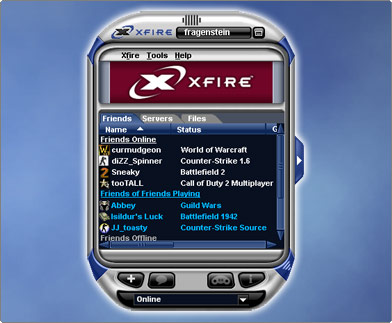
One-Click Join
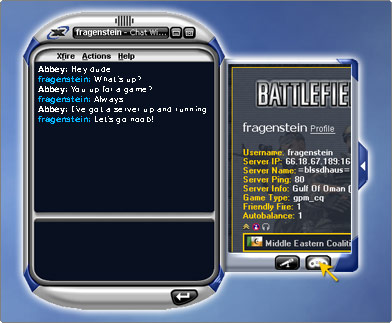
Once you’re ready to join one of your friends in a game, simply select your friend’s name and click the Join button. (Say goodbye to cutting & pasting server IP addresses!)
Server Browser
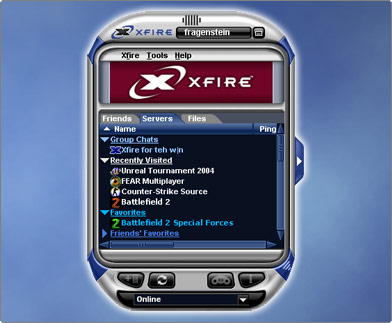
Xfire’s server browser is built right into the client so you don’t need yet another app running while gaming. You can easily filter by game type, map name, ping, etc. Xfire also keeps track of your recent servers, your favorites, and your friends’ favorites.
Xfire In-Game (IM While You Play)
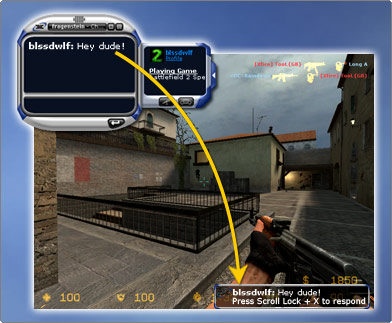
Unlike other IMs, you can send and receive messages from inside games without having to minimize (Alt+Tab) the game window. Your IMs appear right on screen: just hit Scroll Lock + X to respond. You can even take screenshots by pressing Scroll Lock + S and automatically upload them to your profile page.
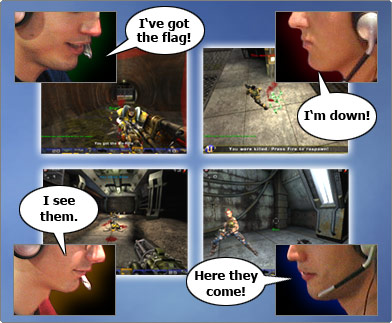
Voice Chat
Xfire’s voice chat lets you talk 1:1 or in groups with your friends while you’re in or out of game. Superior voice quality and custom bandwidth settings ensure your gaming will still go on lag-free.
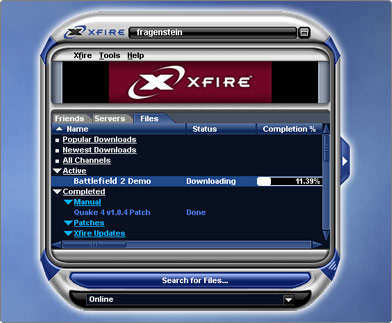
File & Patch Downloads
You can download the latest mods, patches, and trailers for your favorite games to your desktop over our flexible and convenient P2P file network. Subscribe to Xfire’s download channels and get game patches and files automatically delivered as soon as they’re out- no more waiting around to get a patch, just play.
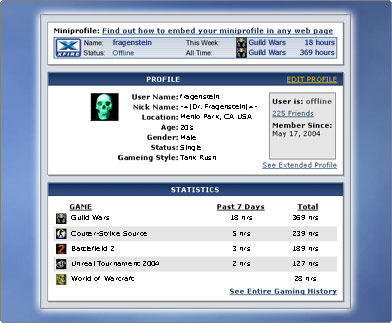
Profiles with Automatic Stats
Xfire shows off your gaming stats, such as the games you play and how many hours you’ve played them. They’re on your profile and Miniprofile, which can be embedded anywhere on the web.
Over 800 Games Supported
Xfire supports many popular online PC games, including server and non-server based First Person Shooters, Real Time Strategy, and Role Playing Games. If you play it, we probably have it. And we’re constantly adding newly suggested games.

Xfire can be downloaded here.